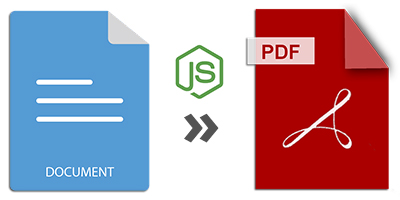
In today’s digital landscape, almost everyone uses popular formats like MS Word (DOC/DOCX) and PDF. Each format has its own strengths, making them widely used across various industries. This extensive usage often leads to the need for converting these formats between each other. In this article, we will explore Node.js を使用して MS Word ドキュメント(DOC/DOCX)ファイルを PDF 形式に変換する方法. Additionally, we will learn how to パスワードで保護された Word ドキュメントの特定ページを変換する方法 within a Node.js application.
Word を PDF に変換するための Node.js API
GroupDocs offers a GroupDocs.Conversion solution tailored for Node.js developers. It allows developers to efficiently convert various document and image formats using its robust Node.js API. For this article, we will leverage the GroupDocs.Conversion for Node.js API to convert DOC/DOCX documents into PDF format.
You can install the required パッケージ from the npm repository and easily integrate it into your Node.js ベースの applications.
npm i @groupdocs/groupdocs.conversion
Node.js で Word(DOC/DOCX)を PDF に変換する方法
Let’s walk through the basic steps for converting a Word document into a PDF using Node.js. The following procedure will convert all pages of a DOCX file into a PDF:
- ロード the Word DOC/DOCX file using the
Converterclass. - Set the PDF 変換オプション using the
PdfConvertOptionsclass. - 変換 the document to PDF format using the
convertmethod.
The following Node.js code converts the entire Word document to PDF:
Node.js でパスワード保護された Word ドキュメントの選択ページを変換する方法
You can also convert selected pages from password-protected Word documents into PDF. The following steps explain how to convert only specific pages of a password-protected Word document:
- Set up ロードオプション using the
WordProcessingLoadOptionsclass and provide the password. - ロード the Word DOC/DOCX file using the
Converterclass. - Set the 変換オプション for the PDF format, including page number, page count, DPI, width, and height.
- 変換 the specific pages of the password-protected Word document to PDF format.
The following Node.js code converts selected pages of a password-protected Word document:
無料で Word を PDF にオンライン変換してみる
You can also convert Word documents to PDF file format using this free online documents converter tool. You can access it on any device with any available web browser.
完全ライセンスを無料で取得 - Node.js 変換ライブラリ
You can get a free temporary license to try the Node.js conversion library without evaluation limitations. A temporary license is actually a time-restricted full license that lets you test every aspect of the product.
結論
In conclusion, we explored how to convert MS Word (DOC/DOCX) files into PDF format using Node.js. We also covered how to convert specific pages of a password-protected document into PDF within a Node.js environment. By using GroupDocs.Conversion for Node.js, you can easily automate document conversions in your application.
For more information about the ドキュメント変換自動化 API, refer to the documentation, API Reference, or explore the GitHub examples. For any queries, feel free to reach out via the forum.